
Does it happen to you that you cannot access your site using your computer?
There are several reasons why your website is not accessible. First, you need to test if this issue is not from your own network.
Here are 2 ways to test.
Ping
1. Click the start button (Windows key).
2. In the search box type “Command Prompt.”
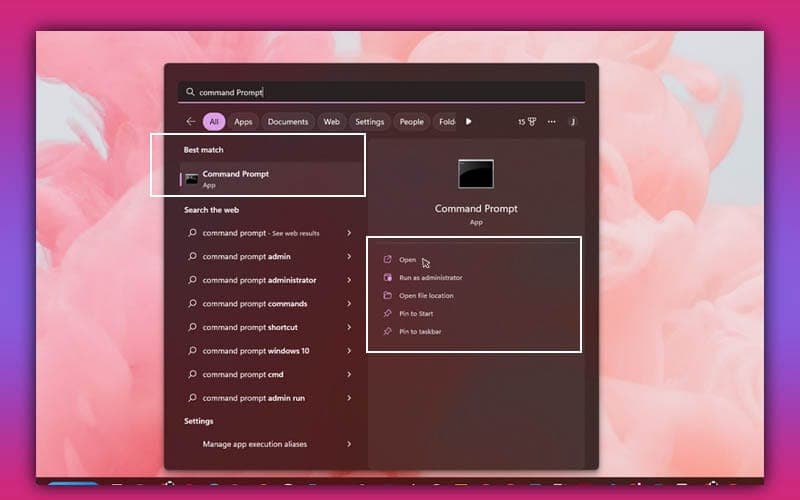
3. On your Command Prompt type ping yourdomain.com and hit the Enter key.
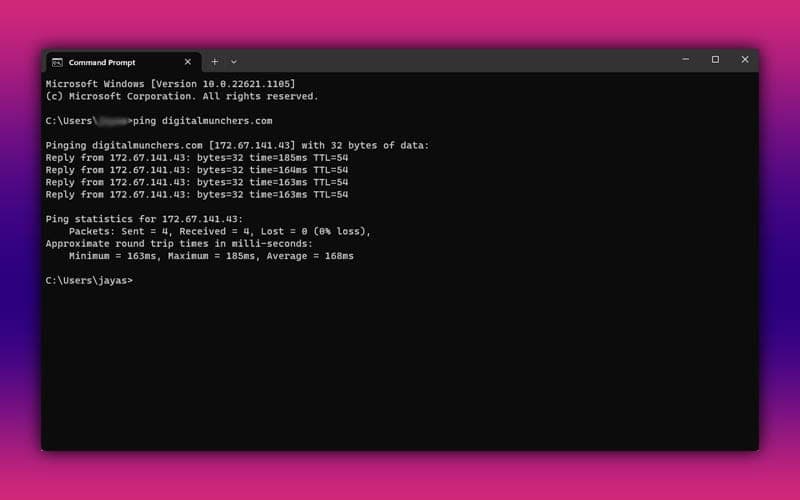
Check the result: if it says unreachable, it means that you cannot connect to the website.
You may proceed to try flushing your DNS.
TraceRoute
1. In your Command Prompt type tracert yourdomain.com.
2. Depending on your current location, the result will show you if there is an issue along the way in connecting with your website.
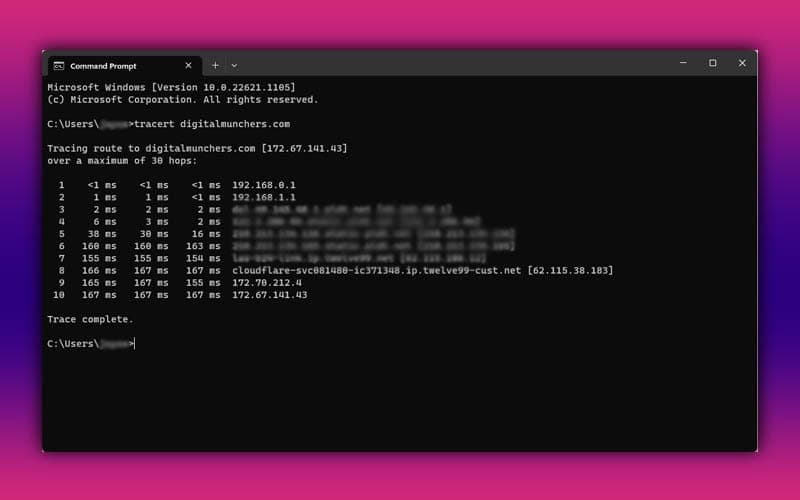
3. You may forward the result to your ISP or your hosting provider for further investigation.